Visual Asset Strategic Tools. Capture Building Information for Building Life Management. Open Source/Low Cost Technology Solutions for you to control your buildings
I had made some additions to Revit KeyboardShortcuts.xml file and the file is quite big. Only some of the functions have a Keyboard Shortcut . So I wanted to create a KeyboardShortcuts.xml file that would only have my additions, so that when a person merged them in they were not going to bloat the ones
I think I have an idea that may be worth selling. So I need to develop a course around it . I’ve decided to use Notion to write up the structure of the course and am considering looking to use Udemy to host the course. The course was submitted to Udemy for review & approval
I did some enthusiastic demo’s with aText and I’ve ended up with a lot of silly abbreviations that are disrupting my writing. So I’ve had to start considering how I’m using the program. Also I did an AlternativeTo with AutoHotKey’s and wrote similar keys that did the same action as the aText keys. But not
Note- WordPress seems to be having issues (or maybe just me) with uploading some images. I’m not sure why as they are screenshots (and small) , but some images are missing in the article below. They are loaded into the WP Media library, but do not wish to be displayed. Apologies until I can rectify
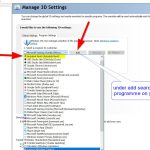
I dread windows updates and as soon as they have taken place I open Revit to see if that is still working. I think the updates knock Revit off the list for using the Graphic Processor. This is the first time I’ve been able to get Revit get back to normal without uninstalling the windows
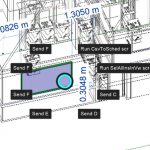
After getting into AHK I started to explore further. Auto close down script with hotkey One question I asked was can you close down a running script with a hotkey?, so a built in close command, and you can, a very interesting post on Stack Overflow “How do I stop an active AutoHotkey script?“. I’ve
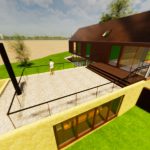
I’d read about this a while back and wanted to try it. You export a model from Revit to Unreal Engine’s free version of TwinMotion and render it a lot more realistically. I’d played with Unity and I really liked its 1st person shooter plugin for Revit, where you created a stand alone model that
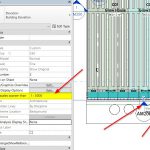
This was an odd one. It had me flumoxed for a while and i ended up creating the view a couple of times trying to figure out what was going on. I of course went to “Reveal hiddee elements” but that did not show the section lines either. Scale and section lines It seems when
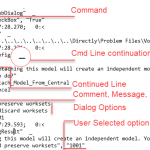
Watching Brian Mackey’s video on Intelligent Details he mentioned using Journals for scripting. There is a AU talk on this at the link below: Revit Journal Files: They Aren’t Just for Autodesk Support There are alsdo a couple of downloadable files that go with the video just for reference. This seems like agood way to
In projects you create a lot of drawings. Some of them in a specific format, eg 100 series plans, 200 series elevations ….. There are also drawing packages, like a tender set for a specific package such as furniture that you want to send out at a different time to different people. Being able to