Visual Asset Strategic Tools. Capture Building Information for Building Life Management. Open Source/Low Cost Technology Solutions for you to control your buildings
Following on from Multipurpose function hall and variable seating prices, I received a reply from Simlab Soft regarding having a clickable link in a 3DPDF. They said try using their Simlab Composer single license: Pro edition costs $199 VR edition costs $399 Pricing page here I had, a while back , had an issue with
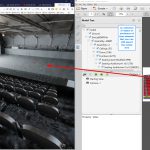
Going to get a seat to an Opera or Ballet performance in Wellington I usually trundle down to the ticketek office to book and get the tickets. When looking for seating they usually have a plastic folder with photocopies in and point to seats in the price range you are looking at (usually the cheap
Obvibase database with Google Sheets I was thinking about my expenses Form/Sheet process Spending Tracker that I’m very pleased with. A method to capture my spending. My concern is that the sheet will bloat over time with older records. I was surprised that one of my big sheets in Excel could not be opened in
I would recommend you do not even try it, its a waste of time Capture a space in 3D without a 3D scanner (their byline)- It didn’t do that for me, so that’s a lie After getting very excited about this programme from the videos, once you test the free plan out it is not
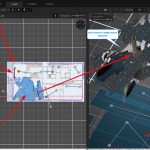
I was interested in the Cupix tool a while back when it was in its beta free version, at a time when I did not have a 360 camera. I decided to have another look at it now that I do have a camera. Within the programme it creates a 3d model from your spaces
I went to a WordPress meetup talk last night about the Gutenberg editor by Mike Eastwood . A few interesting things I learned at the talk: Atomic blocks plugin looks interesting. It is built for the Gutenberg block process. There is a columns block that was demonstrated. I’ll look forward to trying that out. You
I wrote a post on using free Google Sites to test out a Recipe site I wanted to create to collect some of my recipes and processes in one place. As I was building the site I realised that I was going to get a long list of things and then I’d need to break
Nomacs nomacs is a free, open source image viewer, which supports multiple platforms. You can use it for viewing all common image formats including RAW and psd images. nomacs features semi-transparent widgets that display additional information such as thumbnails, metadata or histogram. It is able to browse images in zip or MS Office files which
I am just over viewing the tool at the moment. I setup a process in Notion for some tasks I want to get done. I need to find a project that I can use for Clickup. I haven’t one at present. It was on my Notion list, and when I looked at it I saw
Google sites are free websites you can build and have hosted by Google. They reside on your Google Drive. My Recipe Site I wanted to create a site for some recipes that I’m trying out. I have been bookmarking videos and recipes and also using the Firefox sidebar add-ins like Notes and 5 notes to