Visual Asset Strategic Tools. Capture Building Information for Building Life Management. Open Source/Low Cost Technology Solutions for you to control your buildings
After the Art Gallery App Free GlideApp for developing Art Gallery translation mobile app I wanted to extend it to a Museum app. As it does not take too much time to mock up an app I thought a specific app targeted at a specific Museum would capture more attention than if you were to
Further to HopOnHopOff (HOHO) for bus tour I could see that this idea could be extended to other instances like Museums, Art Galleries and events. A way of extending the information about a specific subject by translating it into different languages, thereby allowing people to engage more with the subject at hand. So, my initial
Following on from the HopOnHopOff tourist translation app that I developed and discussed in an earlier post, I wanted to extend the features in the app to suit specific needs. I decided to explore a Defects List app for a building site. Defect lists are common, both during and at the end of contracts. Near,
Koji app development platform I came across when looking at GlideApps and it is a free platform at present. GlideApps has a free platform too. It builds mobile apps from an online site where you select an existing template and adapt it to your own needs. So rather than building an app from scratch, you
After the first test of the Glide app I found there was limited ways to input data. You had to edit a sheet tab of data but no method of automatically tagging that an item had been updated. That is, that I have identified so far. Video clip showing quick demousing Recordit The documentation and
Click this link to go to developed app. Glide is a bit like Coda, but different. Its intentions is to build an app without needing to code. Allowing you to focus on content rather than process. It has a free tier and you need to sign up/sign in. You need a google account so that
I was trying to resolve how to make a 360 panorama in Simlab Composer 8 pro, as shown in this video and went back to the article Take Your Designs to a New Level with 360 3D and it mentioned 360Player.io, which I have not come across before, so I had to quickly test it.
In the last article Revit links- Relative & URL I was looking at linking to data with URL’s which is either a linkage to an external file or a web page. In one video the gentleman was showing Revit links to manufacturers web pages, which is useful in the construction phase of a project. If
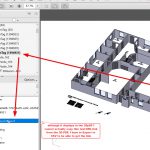
I’ve been messing around Revit URL parameters. The thinking goes thusly: If I’m on a mobile device, I can scan a QR code for URL to take me to……, but what if I’m on my desktop and want to follow a link? I dont want to go to the hassle of scanning a QR code,
In the previous post 3D QR code attempt 2 I succeeded in getting a QR code into Revit and was able to scan it there & also export to 3D PDF to scan there too. Unfortunately the process that was used required using an Autodesk free trial (30 day) programme Formit for conversion from TinkerCad