Visual Asset Strategic Tools. Capture Building Information for Building Life Management. Open Source/Low Cost Technology Solutions for you to control your buildings
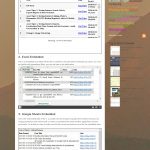
Dear visitor, This post is to acknowledge that I’ve now written 200 of them. A milestone. It has taken me 8 months to write them. I hope you have enjoyed some of the posts and have received some useful insights/help that have assisted you in your work or interest. I have enjoyed writing most of
I’m usually pretty relaxed with my emails. I don’t get too many personal ones so can manage those quite easily.The other ones I sort through daily and either delete or mark as read. If there are persistent emails from services I no longer use, or find annoying I send to junk. I use emails to
I wanted to link a couple of things I’ve been learning and doing and highlight them in videos. In some demonstrations seeing is better than listing Vid 1. Screen Capture & Optical Character Recognition (OCR) In this video I wanted to show how to use screen capture process to get code from YouTube and other
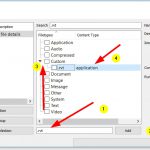
Example of Context menu pop-outs Interface for setting up: pyWinContext is a Free Manager for Custom Context Menus in Windows. You can download the actual compiled .exe file here. There is a video on use case here, its not in my area of interest but you can see how useful it is: After uploading and
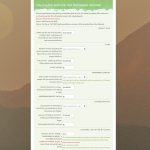
I was reading an article about integrating Google Apps with WordPress and one was a plugin for Google Forms and decided to investigate it. When I went to install the plugin I came across Calculated Fields Form plugin for WordPress and decided to install that too. I’m glad I did, this is a great plugin.
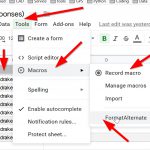
I need to get my head around this to see if it can supplement the sheet filtering info I was exploring in the last post. Formatting Macro tutorial I will be following the tutorial in the video below, it is one of the videos from the Learn Google Spreadsheets that I think is an exceptional
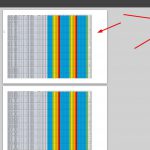
I wrote a post on using Excel filterable Heatmaps for Asset Condition over time online. This was an excel file on my OneDrive that I then embedded in a web page. I had filtered the columns so that you could filter columns to do forecasting for building items that would need work to be done
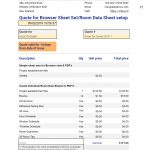
After the success of my previous automated quoting service Creating free embedded automated quote for service with Google Docs I found a couple of things that I wanted to try to extend this process. The first is multi sections in forms and the second is, instead of using the Google Sheets Document Studio Addon I
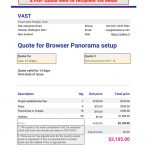
After writing a post on following a tutorial for automated invoice for a cake shop order, Free Google Docs online ordering automated I decided that, after migrating my Services to my Blog Site I’d try setting up an Automated Quote process for one of the services I offer, namely a Browser viewer for Panoramas linked
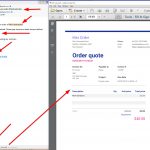
I saw this video on automating process for ordering online in Google Docs. I decided to see if I could replicate the process (to a point, not the PayPal integration). The video above has a ‘cake Shop” with an online form that can take orders for cakes asking for name, location, email and preferred cake