Visual Asset Strategic Tools. Capture Building Information for Building Life Management. Open Source/Low Cost Technology Solutions for you to control your buildings
Further to my previous post Google Sheets “GOOGLEFINANCE()” for free Stock data that started with referencing 5 things that Excel couldn’t do but Google Sheets can, I wanted to explore a few of the features mentioned in that video. It mentioned the following Google Sheet Functions: ImportFEED(), Import HTML() &ImportXML() 1. ImportFeed() Well, I followed
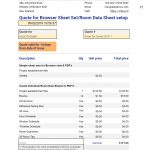
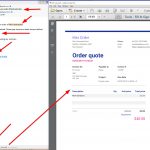
After the success of my previous automated quoting service Creating free embedded automated quote for service with Google Docs I found a couple of things that I wanted to try to extend this process. The first is multi sections in forms and the second is, instead of using the Google Sheets Document Studio Addon I
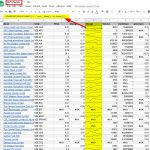
I came across this YouTube video that I thought was quite enlightening “5 Things You Can do in Sheets That You Can’t Do in Excel”: I was rather intrigued by it and decided to look into some of the functions more deeply. So far I have only played with the GOOGLEFINANCE() function and SPARKLINE() My
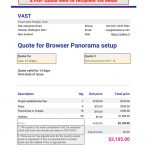
After writing a post on following a tutorial for automated invoice for a cake shop order, Free Google Docs online ordering automated I decided that, after migrating my Services to my Blog Site I’d try setting up an Automated Quote process for one of the services I offer, namely a Browser viewer for Panoramas linked
Note – See comment at bottom regarding Images I have been trying to redirect people from my Blog site to my services site. This has not been going too well. Early days possibly but the count is not rising. So I thought I’d add my services to my Blog site under a header on the
I saw this video on automating process for ordering online in Google Docs. I decided to see if I could replicate the process (to a point, not the PayPal integration). The video above has a ‘cake Shop” with an online form that can take orders for cakes asking for name, location, email and preferred cake
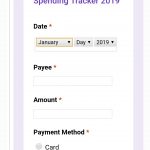
I have been looking at an expenses tool to monitor my spending. I was looking at Google Apps Script video library and they had a video on building an app called Expense it!, it was meant to be on GSuit addons to Gmail but I couldn’t find it. Then I came across this article and
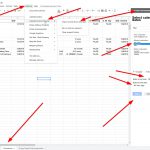
From the last post More free tools for productivity where the first item looks at an alternative to using the Google Sheets Timesheet free Plugin which summed project times and did not show daily times per projects I found a convoluted process where I exported the Google Calendar to a zipped .ical file and then
Google Calendar and time sheets In the last productivity post Free productivity with Google Docs & sheets I talked about using the Google Sheets Add-in time sheets. This linked to a Google Calendar and any event with a “#” at the beginning it took as a Time sheet input. It then created a Report with
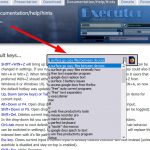
Executor Executor is a multi purpose launcher sporting many optional customizable features and advanced setup. Executor is like Launchy & Wox. It does the same thing but it is easier to get to grips with and easy to set up for programmes, search queries and folders. I like it so much I’ve uninstalled Wox and