Quick Drawing access anywhere online with PDF download
Having access to the information quickly is important. My experience has been that if people try and assume and guess they usually end up doing a lot more work than initially envisaged.
Having information early means you can plan and anticipate.
Revit creates Web Page with Images
This video (7.38min)
shows you how to export from Revit images and HTML index page to call up
Also see this page for Screenshots of the process.
- Speed up the tedious stuff and enjoy designing and documentation more
- Works in all versions of Revit
- Information to PROVE your increased speed
For information on creating a Free Website with Free Domain Name see How to Setup a Totally Free Self Hosted WordPress Web Site.
Quick Drawing/Document Information using the web
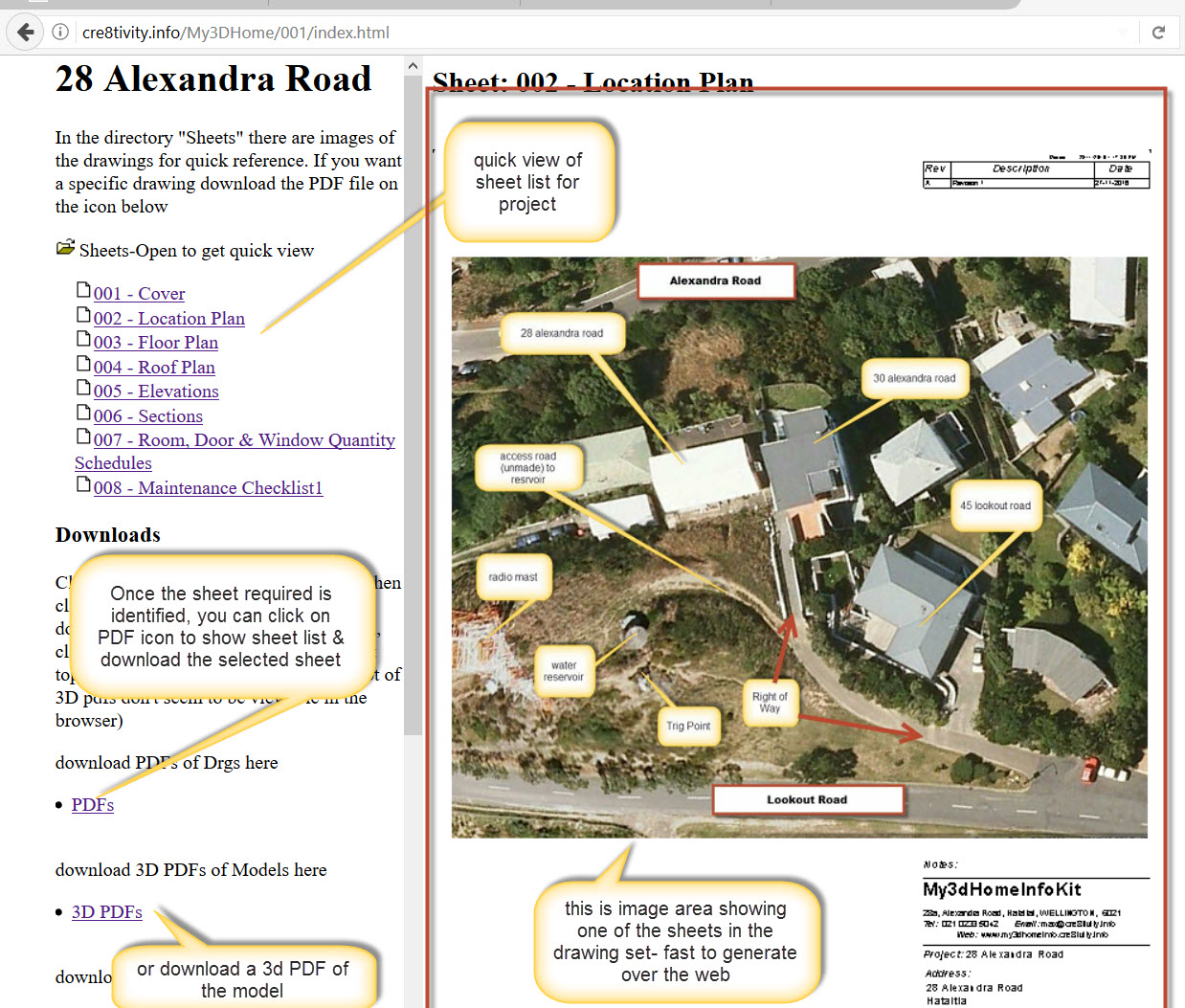
With CAD & BIM the information usually has been created. It is finding the information easily and quickly that is the challenge.
One method is to put the information in a place that is accessible to all, namely the web. It can be password protected so that access is controlled, but it is reachable by all, as long as there is an internet connection.
Revit can export images of drawing sets, these are not particularly detailed when you try and zoom in, but they are like leafing through a book. A quick overview of the information, then you download the specific drawing PDF for more detailed examination. It is easy to put these links up on the web. This is the basic drawing set that already has been created for the project, the data is being structured so that it is quick to access and use.
Follow THIS LINK to explore.
I use RTV’s Xporter Pro to export the PDF’s as its a really handy tool for normal production as it does Issue Sheet as well and keeps those revision issues under control.
Visual Studio CODE, Live Server Extension & web page building
How to use 3D PDF’s & Excel Macro’s to manage your assets part 2 of 3