Visual Asset Strategic Tools. Capture Building Information for Building Life Management. Open Source/Low Cost Technology Solutions for you to control your buildings
I find articles/websites that I want to follow up on later and the method I’ve been using is to use the email button in the menu bar. This triggers my email Thunderbird and I then have to fill in To: Sender with my email address and then send the email. Step 1. Using bookmarklet to
I’ve a few bookmarklets that I think are great, but I don’t use as frequently as I would like to because I forget they are there to be used. A bit of an issue with me, I find interesting things but forget to use them sufficiently to get the most out of them. So they
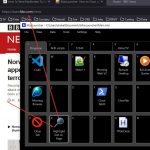
I’ve been battling to get MaxLauncher buttons that run hotkeys. MaxLauncher is a program launcher that pops up on the screen and I looks like a keyboard. You can assign a file or folder to a key on the virtual keyboard. So if you want to send a hotkey, say Ctrl+W to a program, say
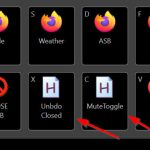
I was really exited when I found this program launcher as it has the same interface as my Stream Deck. So COOL!!! But, with stream deck I can close programs as well with hotkeys assigned to a button. That is great as I don’t have to remember the hotkey, all I have to do is
I came across the first app and thought about my open tabs AutoHotKey script and thought that it could be replicated quite easily by non coders with Auto Starter X4, and thought that would make a good video for Free Productivity Video playlist. While looking at that program the System Tray Menu (STM) one looked
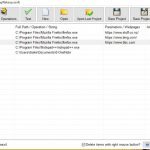
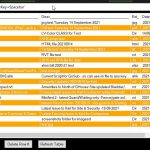
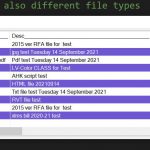
After setting up listview as the method to display the files as per previous post Accessing Recent Files- Part 2-Jack Dunning’s QuickLinks then using LinkView which sorted out the principle of the program there were a few things I wanted to do to make it work in a more generic way. Use an ini file
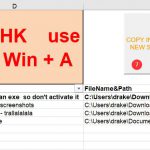
In the first part of creating a link list of files for accessing I had a Proof of Concept that used AHK script to capture the information to a file and Excel to display and create hyperlinks. I’d commented that there didn’t seem to be similar programs that did this sort of thing and then
I’m hopping in and out of one particular project that I may not actively work on for months. When I revisit it I have to go fossiking through all my files to figure out which were the most recent ones I was working in. Although I could just use Explorer and order the files by
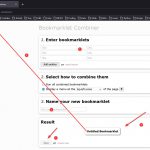
Further to previous post on Bookmarklets, I’ve been using them and find them easy to use, practical & they do increase my web browsing productivity. I was thinking that there may be a few more I could find. Bookmarklet Combiner One issue I do have is that they take up ribbon space in the Bookmark
After getting the Stream Deck I have been having tentative explorations into its setup and uses. A good Stream Deck article about process and setup is here You can create your own icons from a Stream Deck library , go HERE Stream Deck Calculator I saw this video and thought it would be a great