Visual Asset Strategic Tools. Capture Building Information for Building Life Management. Open Source/Low Cost Technology Solutions for you to control your buildings
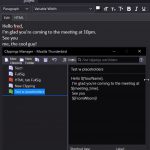
Clippings is an add-on in Firefox and Thunderbird. It allows you to store clips for reuse. You can set hotkeys to access them, but you need to do another hotkey before you can access the hotkey you want , so a 2 step process. I suppose that could be good if you have massive repetitions
Background to the issue I’ve been having a few issues with losing files recently. My new (bought 2nd hand) QNAP 2 bay storage device crashed, so I had to reformat the 2 drives in that and start over. I’d been using that as main backup of current files for about 6 months so I was
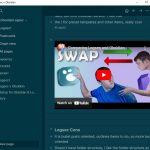
I finally got around to doing a YouTube Video on Obsidian and got a couple of comments back, one on using syncthing ( a free peer to peer syncing program) and one on Logsec v Obsidian. So I had to go and look up Logsec and find out what it was. The description is almost
I’ve been working on a project that has been going on for years, I’m picking up aspects of the project and doing some work on them and then leaving them for a while. I’ve had issues with finding the relevant documents later as I’m dipping in and out of the folders and moving things around,
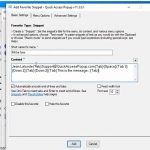
I’ve been reading the Joe Glines weekly friday newsletter and it had an item in it about using Quick Access Popup (QAP) for auto filling in forms. I have setup a couple of Auto fill forms for some of my CPD requirements for registering and I’ve assigned them to hotkeys. Whilst this is great I
I was doing a regular check on free productivity tools and came across this video: The 2 items that interested me was a Text expander Espanso and Program launcher Flow Launcher. Both are available on Github for free. Espanso Text Expander Espanso seems to be like AutoHotKey but is cross platform so can be used
I came across the following and it seems to be a useful place to store things like passwords and other private stuff that you can use across devices. It relies on you having the password on your site, not stored with the encrypted database. This is the info about it ProtectedText is an free online
I’m hunting around for a color accordion/spoiler as the current one is gray and a bit bland. I found the ultimate shortcode plugin had extra css to put in and that got the job done, I’d tried a few other plugins including Cosmic Blocks but am really happy with the solution as it reduces extra
I have a multi-pronged approach to investigate at this point: Identifying and testing the software keys and getting them to work Making them generic so that I can share them Look at licensing file setup for program and start testing/compiling/testing- Yearly subscription or buy outright? Look at modular add-ons for program- basic plus add-ins to
Obsidian is a powerful knowledge base on top of a local folder of plain text Markdown files. I read this article How to Use Obsidian as a Personal Wiki on Your Computer. I’m looking for a general note file item that I can use, and since it uses local files I thought this might be