Visual Asset Strategic Tools. Capture Building Information for Building Life Management. Open Source/Low Cost Technology Solutions for you to control your buildings
A few other programmes I have come across while exploring productivity tools. Action(s) Action(s) is an automation desktop tool that is written in Java. It was developed from 2009 to 2012 and has not been supported since (as it says on the website. It is a free tool and a desktop version can be downloaded.
On exploring VoiceMacro I noticed that it has a scheduler, so you can start your scripts at a specific time. I realised that with AutoHotKey .AHK its not as elegant, but you can use your computers Windows Task Scheduler. If you go to your start button and type Task Scheduler it comes up. The first
I have not tried any of the voice activated tools like Cortana, Siri or Google Assistant. The idea that your voice is being listened to and information transferred remotely does not appeal at all. The idea that something is listening to you and triggers on a specific command infers that it is listening to all
I have been trying to get some internet macro’s working, and being challenged by the process. Along the way I have picked up some handy productivity tips that I’d like to share. Macro testing free tools First, I need to highlight a few downsides to things. I am developing a macro to automate opening up
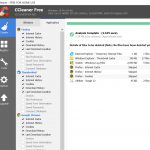
I am a collector of trifles. I load up programmes, test them and then tend to leave them on my computer if I have sufficient space. Over time, the computer slows and I need to give it some TLC (Tender Loving Care) by clearing it out. I usually have a high spec computer with lots
Office 365 subscription and use I have just been writing about free productivity tools for windows and as I was working through them I realised that I am paying $165 NZ per year for Office 365 Home. My subscription is coming up for renewal shortly. This is what it offers: Share with your entire family
I wrote an article on 6 more free Productivity Tools for Win 10 which followed on from my earlier article about 8 free productivity tools that I posted on LinkedIn, then I found another 4 that I wanted to write about and added them into the original article. The LinkedIn post still has only the
Further to my previous post on 12 Free Productivity Tools for Win 10 (initially 8 but I added some more) I have since found a few more free programmes that can help with productivity. RocketDock RocketDock is a task bar, but it looks a bit like the Apple Task Bar and can be configured in
AutoIt v3 is a freeware BASIC-like scripting language designed for automating the Windows GUI and general scripting. It uses a combination of simulated keystrokes, mouse movement and window/control manipulation in order to automate tasks in a way not possible or reliable with other languages (e.g. VBScript and SendKeys). AutoIt is also very small, self-contained and
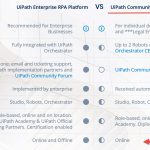
I’m really trying to get my head around this programme. Its not as flexible as it first seems. Also, there is only so much that you can do with the community version. The costs of robots, from “googling” the web seem high too. So I’ll work through this exercise but may drop the programme later