Visual Asset Strategic Tools. Capture Building Information for Building Life Management. Open Source/Low Cost Technology Solutions for you to control your buildings
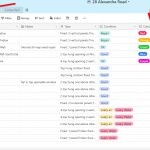
I had seen Airtable pop up a number of times. I thought it was just another team tool, like Notion & ClickUp, and it is, to an extent, but its also a DataBase , but a friendly one that you can share. It allows you to create tables and link the tables together. Also to
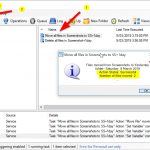
I have seen the RoboTask automation programme and it is a paid programme , for personal use its 119$US so I ignored it in my exploration for task automation tools. I found there is a free RoboTask Lite that is a cut-down version of the main product that deals with files and PC activities but
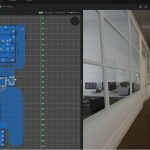
I was interested in the Cupix tool a while back when it was in its beta free version, at a time when I did not have a 360 camera. I decided to have another look at it now that I do have a camera. Within the programme it creates a 3d model from your spaces
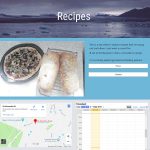
I wrote a post on using free Google Sites to test out a Recipe site I wanted to create to collect some of my recipes and processes in one place. As I was building the site I realised that I was going to get a long list of things and then I’d need to break
Nomacs nomacs is a free, open source image viewer, which supports multiple platforms. You can use it for viewing all common image formats including RAW and psd images. nomacs features semi-transparent widgets that display additional information such as thumbnails, metadata or histogram. It is able to browse images in zip or MS Office files which
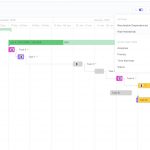
I am just over viewing the tool at the moment. I setup a process in Notion for some tasks I want to get done. I need to find a project that I can use for Clickup. I haven’t one at present. It was on my Notion list, and when I looked at it I saw
Google sites are free websites you can build and have hosted by Google. They reside on your Google Drive. My Recipe Site I wanted to create a site for some recipes that I’m trying out. I have been bookmarking videos and recipes and also using the Firefox sidebar add-ins like Notes and 5 notes to
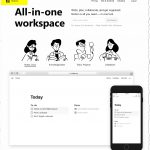
Write, plan, collaborate, and get organized. Notion is all you need — in one tool. For teams & individuals — Web, Mobile, Mac, Windows It does Notes/docs, Tasks/Projects, Knowledge base & Databases (actually looks like Coda sheets not sure if it does calculations on cells though). You can link/share with others pages you have setup.
I came across this Dock in a YouTube video that I thought was quite fun. Circle Dock Circle Dock is a pop-up dock that you can add programmes and folders to. I have used shortcuts on the desktops for items I have on the task bar and then dragged them onto the wheel. They then
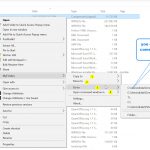
After PyWinContext in post Free Manager for Custom Context Menus in Windows I came across another Context Menu Customization tools that manages your popular Folders. MyFolder Within File Explorer you right click and in the menu there is a new item called MyFolders that lets you copy/move files to specific directories or Goes to that