Visual Asset Strategic Tools. Capture Building Information for Building Life Management. Open Source/Low Cost Technology Solutions for you to control your buildings
Its been slower writing the last 100 posts compared to the previous 200. But I’ve got there, with this being the 300th post. You can view the actual table here. Your browser does not support iframes Slower because of other activities I’ve broken out of just exploring this area of posting and started doing a
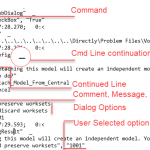
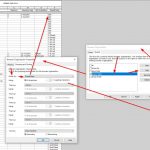
Watching Brian Mackey’s video on Intelligent Details he mentioned using Journals for scripting. There is a AU talk on this at the link below: Revit Journal Files: They Aren’t Just for Autodesk Support There are alsdo a couple of downloadable files that go with the video just for reference. This seems like agood way to
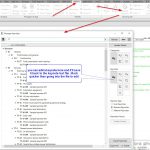
In projects you create a lot of drawings. Some of them in a specific format, eg 100 series plans, 200 series elevations ….. There are also drawing packages, like a tender set for a specific package such as furniture that you want to send out at a different time to different people. Being able to
Generally with notes I like all the information to be on the drawing that you are reading, so keynotes should have legends associated with that sheet. You shouldn’t be scrabbling through a set of drawings to find the keynote legend. Drawings should be stand alone. Also, I like notes to explain 1/ What something is,
I go to tech meetup talks around town. One i went to recently as about RPA (Robotic Process Automation). In the talk a few vendors were demonstration their services/programmes and showing Bank/Enterprise processes that included Chat Bots and other automated processes. They talked, on the one han about efficiency, and also about customer enguagement &
I am not a touch typer, so look at the keyboard when I type. Sometimes I’ve hit the caps lock key and suddenly half of what I’ve written is in upper case GRRRR! Smart Caps Lock I found a small free app called SMART CAPS LOCK that sits in the toolbar tray that allows you
I’d played with this before and just saw it as dark magic. I couldn’t really get my head around it. I remember trying to set one up and making a total mess of it, so I left it. Yesterday I went to an Azure All day presentation on Cognative services, hopefully I’ll try one of
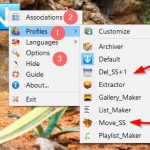
In my constant search for ways to automate trivial processes and make life easier I came across DropIt. A free flexible tool to automate processing & organizing files and folders On the above site it shows this flow. Basically you make a rule with actions on a file type/filter and it will do those actions.
There are times when you need a little tool to do something. You could download a programme to do it, or you could use an online tool. Mostly though, you only need the tools at infrequent intervals , or you have a specific project that requires some minor tools. I’m a fan of free online
I haven’t played much with C# and revit add-ins for a while and I thought it would be good to re-explore the process. The last time I was trying to do so was about 3 years ago so I thought I’d look on Mr YouTube to see what has appeared since my last effort. It