aText review

I got a bit fed-up with LintaList being inconsistent & decided to try a different text expander. On my journey with this feature I started with the autoCorrect script with AutoHotKeys and found I had to open the script up, scroll right to the end to add another abbreviated text expander item, then restart the script.
I then went on to use lintalist and was pleased with the extra features that that included. There is an article with a video review LintaList AutoHotKey Text expander with user defined variables
I found the program a bit buggy and used MaxLauncher to relaunch the program when it didn’t expand the abbreviations. I found I was using the reboot process far more that I wanted to so decided to try something else.
On one PC I tried Beeftext but then I came across aText in the Microsoft Store.
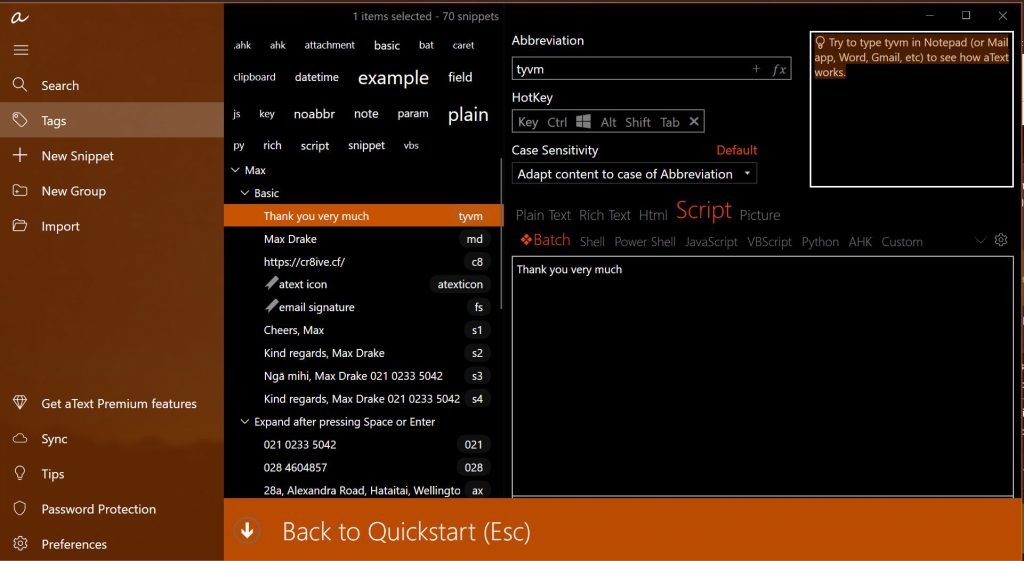
aText is a text template, text shortcut, text macro, text automation, text expansion tool. aText accelerates your typing in any application by replacing abbreviations with frequently used phrases you define.
The premium features are pretty good. Although for mac OS its $4.99US and for windows its $4.99US (one year license) or $29.99US (full license I presume). I think that is a one off fee and it allows you to put it on 5 devices. There is a note Get this app while signed in to your Microsoft account and install on up to ten Windows 10 devices. So a disparity between Apple & windows pricing.
Lintalist feature for dates in future and counters- making AutoHotKey script to replicate
As I’ve been migrating away from lintaList I was creating a simple hotkey that would do my Covid Diary Titles that I’d setup with lintalist, that was a feature I thought was pretty cool.
In the Title: Covid Diary Sunday, 28 November 2021 – Level 2 -Day 82, first it has to do the title for the next day, show the full string for the date and 2nd it needs a counter for incrementing the number of days at a specific level.
I ended up writing a bespoke script for this and had to create an .ini file to store the count variable.
aText features
Some of the standard features are quite good.
One is preview that is really handy to check the layout etc of what you’ve setup. Saves you running the script at the beginning to check format and order.
- Rich Text & Html setup allows me to do full html signature that I use and it goes straight into the email without having to use the HTML tab in Thunderbird, so that’s really handy
- Activate by letters only without trigger key (eg spacebar)- as a sub directory- you can keep all in the same place
- Activate with trigger key- my preferred method- So I’ve lots of these
- Backup setup- this is a good feature- I’ve got the backup on my NAS so I can use it on my other laptop
- Sync is an extra feature but you can backup and import. This is a great feature as I’ve noticed that on my 2 PC’s after a while there is a divergence of abbreviations, so one pc has a different setup to the other, this keeps them in line which is handy.
- It seems to be pretty reliable , unlike LintaList that was inconsistent
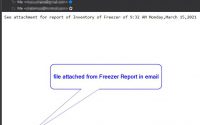
- Attachments – I’m not sure if this is a premium feature or a standard feature, handy if you want to add something- I’ll need to test it out. I’m thinking of a map for getting to a place as an attachment
- Different Groups so that you can have a set of abbreviations for a special program eg Revit, so that they only work in that program/application.
- Emoji’s can be used as well, soaText Premiumhat’s fun
aText extra features
There are quite a few extra features that are pretty cool. When you download the app it has a few Today is aText Premium’s to highlight their usefulness. I was quite impressed.
One item that stood out for me was the “FIELD” item that you can put variables into , so in your abbreviation it creates a boilerplate email reply and then allows you to fill in customers name. Really handy. In AUTOHOTKEY this is the InputBox, so you can add this later and it’ll put it in the proper location. Its given me an idea on how to use this in some scripts that I’d like to setup
Some nice extra features are:
- Setup date/time format as you want- This is good
- You can call another snippet from within a new snippet. So if you have an address – abbreviation adr you can just add this abbreviation and it’ll substitute whatever is in that snippet
- Field- You can have this setup as whatever variable you wish to inmput with a default value if you don’t want to change it. So great for boilerplate emails
- Key strokes -these are hotkeys, so, when it was in trial mode, I could call my AutoHotKey hotkey scripts with the ^#2 hotkey or whatever hotkey I’d assigned. It means that you can use the other scripts from within a snippet. Handy.
- The timer is a bit like SLEEP in AutoHotKey in that it adds a delay to make sure the other elements (eg putting in the correct time/date format has time to write to a page and not skip half way to the next line).
- Sync to make sure you are updated with the backup. This is a great feature as I’ve noticed that on my 2 PC’s after a while there is a divergence of abbreviations, so one pc has a different setup to the other, this keeps them in line which is handy.
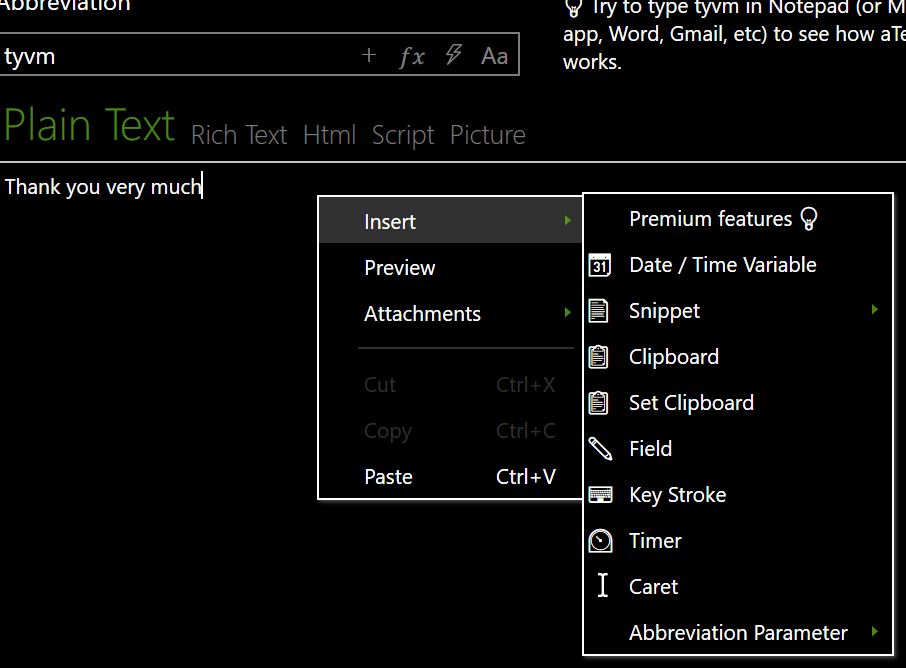
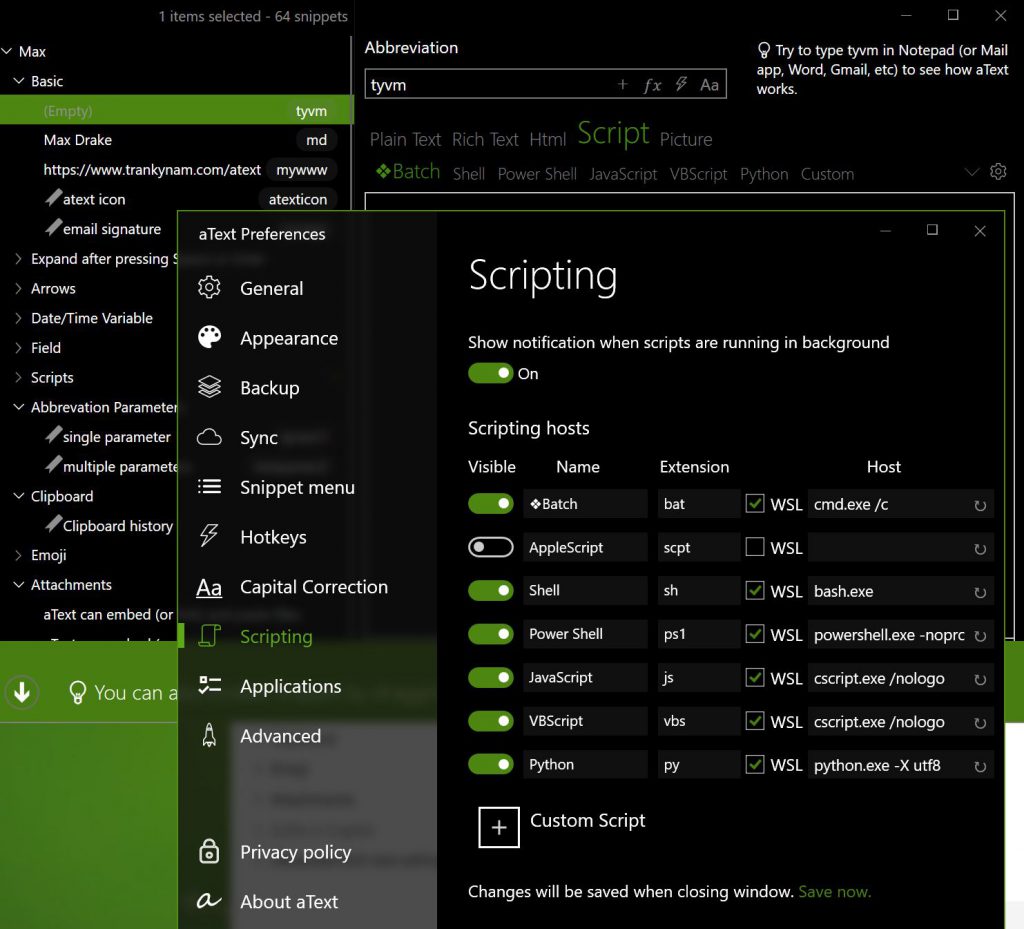
There are scripting tools and I think you can add your own programs, eg AUTOHOTKEY , so that is useful if you have code snippets , although they can be added elsewhere, even in VS Code
End comment
The first thing that stands out for me is that it is reliable, the abbreviations work. This was my big bug-bear of LintaList
Its easy to add a new item/abbreviation to the list and no restart (unlike autoCorrect & LintaList) so that makes it easy to add a new item quickly.
I’m seriously considering purchasing the premium app as its got some really great features that will speed up a lot of work. But ot mean Loy (Kmer – I have no money)
One feature that jumped out at me was the inputbox idea of setting up a boilerplate item and allowing you to add specific variables. I’m thinking of different emails and different signatures. When writing the email you press a hotkey and it pops up with a variable for “To Whom” and then uses a specific signature. I’m keen to write a few scripts now to do that. A multitap key , maybe ctrl-3