Visual Asset Strategic Tools. Capture Building Information for Building Life Management. Open Source/Low Cost Technology Solutions for you to control your buildings
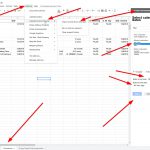
Simple time sheet After going through, testing a variety of time sheet options, from Toggl (rubbish) & TSheets, through to a Google Sheets add on with a calendar, through to exporting from Google Calendar, processing and importing to Google sheets, then trying add ins for Google Sheets and Calendar for a process between the two
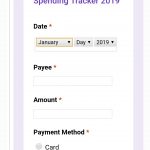
I have been looking at an expenses tool to monitor my spending. I was looking at Google Apps Script video library and they had a video on building an app called Expense it!, it was meant to be on GSuit addons to Gmail but I couldn’t find it. Then I came across this article and
From the last post More free tools for productivity where the first item looks at an alternative to using the Google Sheets Timesheet free Plugin which summed project times and did not show daily times per projects I found a convoluted process where I exported the Google Calendar to a zipped .ical file and then
Google Calendar and time sheets In the last productivity post Free productivity with Google Docs & sheets I talked about using the Google Sheets Add-in time sheets. This linked to a Google Calendar and any event with a “#” at the beginning it took as a Time sheet input. It then created a Report with
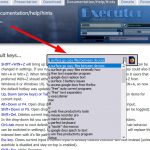
Executor Executor is a multi purpose launcher sporting many optional customizable features and advanced setup. Executor is like Launchy & Wox. It does the same thing but it is easier to get to grips with and easy to set up for programmes, search queries and folders. I like it so much I’ve uninstalled Wox and
I’ve been exploring the internet for online productivity tools and the same ones keep on occurring. You can look online to see the posts yourselves. What I did come across though were some interesting tools withing programmes I use a little and should use more. As I’m transitioning away from Microsoft Office and looking at
I initially was going to do a step by step process with screenshots of processes, then I decided I’d do a video of: The process I was using as an overview of the pdf data to excel macro, and challenges I had with the process. I then decided I’d do an overview of some of
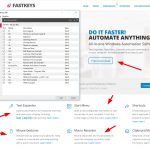
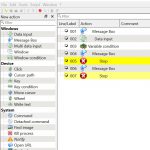
Actiona Microsoft Flows- Tested but didn’t work testing VoiceMacro and Automation Workshop Actiona Actiona (formerly known as Actionaz) is free, it is a task automation tool. It allows you to create and execute action lists. You don’t need to know any programming language to use it: its intuitive interface allows you to create action lists
In this post: Automation Workshop RoboTask Lite Firefox logins and seeing passwords PowerShell- First attempt- Logging into WordPress site Batchrun You search for a solution for one operation, then explore different solutions for more general operations, then you start testing a lot of programmes that are more generalised, to come back to something that was
In this post: File Preview Pane in File Explorer Remote Website Share Drive in File Explorer Shift + Right Click on File for more options Controlling Macros on Start when opening programmes Maximized Remove Image background with Online free PhotoScissors or in MS Office programmes File Preview Pane in File Explorer This is like QuickLook